
If you're looking to create technical drawings, you've probably come across Jw_cad at some point. Jw_cad is one of the most popular free 2D CAD programs in Japan and is widely used by professionals, students, and hobbyists alike.
"I've heard Jw_cad is free, but can it really be used for professional work?"
"How is Jw_cad different from AutoCAD?"
If you've had these questions, you're not alone.
In this article, we'll explain Jw_cad's key features, advantages, and disadvantages, as well as who it's best suited for.
This article contains affiliate links. If you purchase through them, it helps support this site at no additional cost to you. Thank you for your support!

目次
What Is Jw_cad?
Jw_cadは、日本で開発された無料の2次元CADソフトです。
Originally developed for architectural design, Jw_cad is now used in a wide range of industries.
- architecture
- mechanical design
- building services design
- 電気設備
- DIY
...and many other fields.
Its biggest advantage is that it allows you to create professional-quality technical drawings while being completely free to use.
It's widely trusted by a broad range of users, from hobbyists and individual users to businesses and professionals.
In fact, we use Jw_cad at the company where I work.
What Can You Do with Jw_cad?
Jw_cad includes almost all the tools you need to create standard 2D technical drawings.
For example
- Drawing lines and circles
- Adding dimensions
- Hatching
- Adding text
- Layer management
- Creating blocks
- Printing drawings
...and more.
You can create not only architectural drawings but also mechanical drawings and layout plans.
Advantages of Jw_cad
Completely free to use
The biggest advantage of Jw_cad is, without a doubt, that it is completely free to use.
While some expensive CAD software can cost tens of thousands to hundreds of thousands of yen, Jw_cad can be installed and used completely free of charge.
It is also an excellent choice for beginners who are learning CAD for the first time.
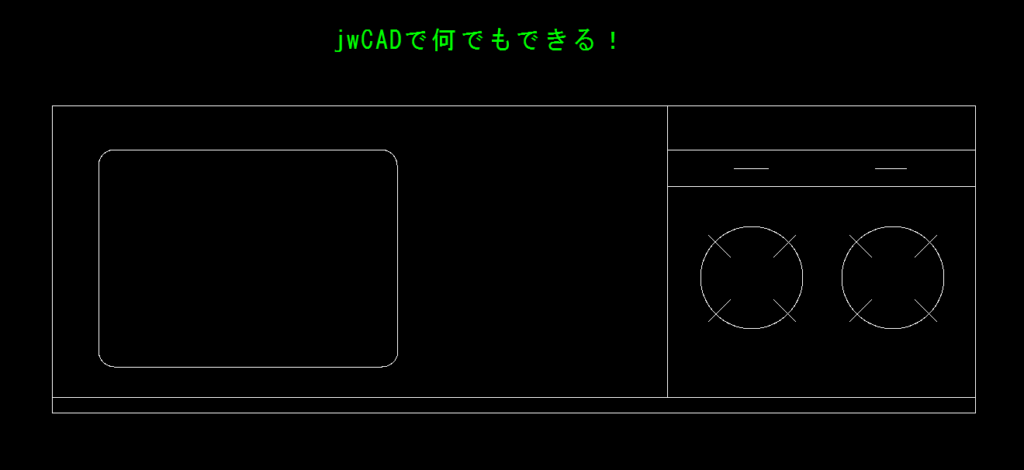
Lightweight and runs smoothly
Jw_cad runs smoothly even on relatively old computers.
It does not require a high-performance graphics card, so Jw_cad can be used comfortably even on a laptop.
I will introduce the specifications of the computer I actually use later in this article!
A wealth of Japanese information is available
Because Jw_cad has a large user base,
- How to use it
- Troubleshooting errors
- Shortcuts
- Drawing methods
You can easily find information about these topics online.
This makes Jw_cad a beginner-friendly environment for learning CAD.
Disadvantages of Jw_cad
No 3D support
Jw_cad is a 2D CAD software.
It does not support 3D modeling or analysis.
Therefore,
- 3D design
- Assembly
- Interference checking
If you need these features, you will need to use 3D CAD software.
Requires some time to get used to
Jw_cad has a unique user interface and operating method.
Because its approach is slightly different from other CAD software, beginners may feel confused at first.
However, once you learn the basic operations, you can create drawings efficiently.
In particular, getting used to keyboard shortcuts and zooming in and out takes some time.
Differences Between Jw_cad and AutoCAD
AutoCAD is one of the CAD software programs most often compared with Jw_cad.
| Category | Jw_cad | AutoCAD |
|---|---|---|
| Price | Free | Paid |
| 2D drafting | ◎ | ◎ |
| 3D Features | × | ○ |
| Construction industry | ◎ | ◎ |
| mechanical design | ○ | ◎ |
| Customization | ○ | ◎ |
Jw_cad may not be the best choice for mechanical design because 3D modeling, analysis, and interference checking are often required. However, it is still very useful for creating 2D drawings.
For individuals who want to start learning CAD, Jw_cad is a great option. However, many companies use AutoCAD because compatibility with external partners and other software is an important consideration
どんな人におすすめ?
Jw_cadは次のような人におすすめです。
- CADを無料で始めたい人
- 建築や機械設備の図面を描きたい人
- DIYや住宅設計をしたい人
- 学生
- CADの基礎を学びたい人
逆に、
- 3D設計をしたい
- 製品設計を仕事にしたい
という場合は、3D CADの学習も検討するとよいでしょう。
使えるパソコンのスペック
私が実際に使っているノートパソコンのスペックを紹介します。
自宅用でDIYや機械設備の部品図を描く作業をしているパソコンは
メモリ16GB Ryzen5 です。中古品でも良いでしょう。

これで十分です。
仕事でがっつり使っているのは
メモリ32GB corei7 です。
大事なのは動作の快適さに影響するメモリです。

まとめ
Jw_cadは、日本で長年親しまれてきた無料の2D CADソフトです。
無料とは思えないほど多機能で、建築業界を中心に現在でも多くの現場で利用されています。
一方で、3D設計や高度な機械設計には向かないため、用途に応じてCADを選ぶことが大切です。
これからCADを始めたい人や、図面作成の基礎を学びたい人にとって、Jw_cadは今でも十分おすすめできるソフトと言えるでしょう。

